Changelog

All new releases and improvements to Spike

Shortcut integration

Shortcut integration announcement.png

It allows you to seamlessly create and manage Shortcut issues directly from Spike, centralizing your project information and enhancing workflow efficiency. Key features include:

  1. Automated ticket creation
  2. Centralized information
  3. Seamless issue tracking

Integrate Shortcut

Read the docs

iOS and Android Mobile apps

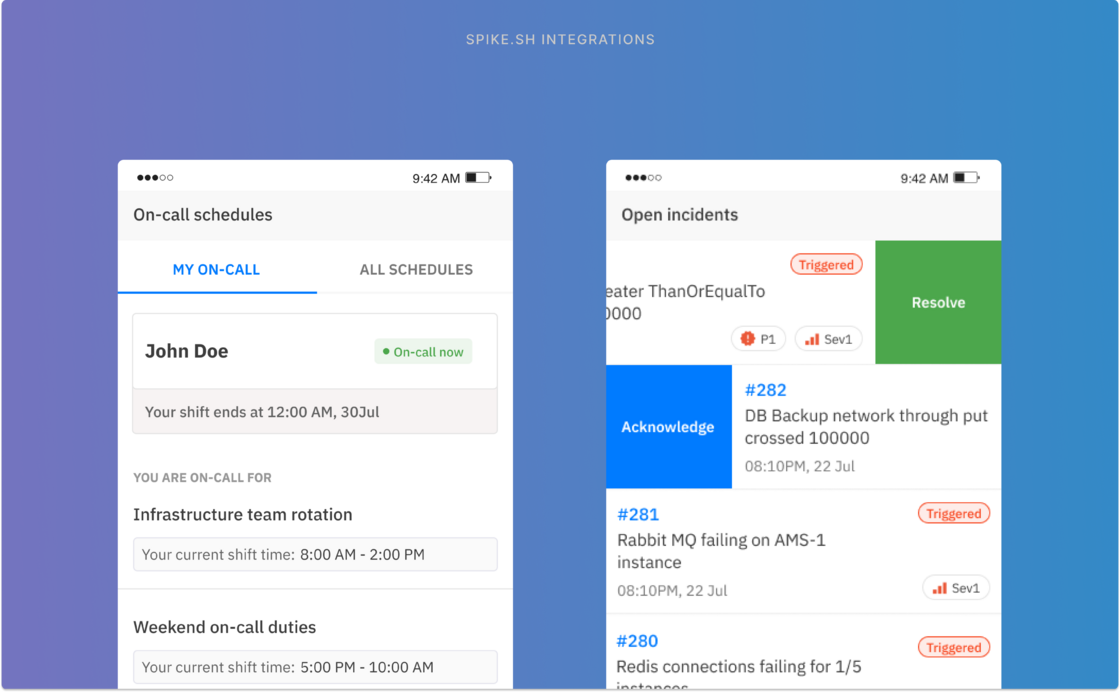
ios app update.png

We built our mobile app to be practical, reliable, and convenient. These are the core principles of continuing to update our app in the future.

Spike's mobile app is designed and built with a responder-first mindset.

1. Push notifications for incidents
2. Acknowledge or Resolve
3. View incident details and important links
4. Change priority/severity
5. Check on-call schedule
6. See who else is on-call
7. Switch in-between teams of your org
8. Control notifications from app
9. Dark mode support!

Resolution note

Resolution note.png

Attach a note to an incident and mark it as resolved to help the next responder in case the same incident happens again.

Some other improvements

  • All notes now have a convenient permalink for easy reference in the future.

  • Images added to comments can now be viewed in full screen

  • You can now edit comments, a much asked feature

Updates to Oncall

  • New oncall layer edit UI supports large list of members

  • The top Oncall section on "who's oncall" and "who's next" now dynamically updates in real-time as you make changes to layers.

  • We are adding back the option to edit your Oncall with real-time calendar preview. Find the “Edit” button on top

  • Deployed a service to synchronize your calendar with your Oncall schedule

  • Fixed a bug for the Oncall calendar view where more than 2 oncalls were selected simultaneously.

  • Setup oncall alerts for Microsoft Teams in settings 👍

Status page improvements

Meet Spike’s bot on Microsoft Teams. It’s simple, easy to use and incredibly useful. A step up from our webhook integration for Teams which will still be supported alongside the new bot.

  • Acknowledge, Escalate, Resolve incidents from Teams
  • On-call shift notifications
  • Check who is on-call and stay ahead of your on-call schedule
  • Direct messages for mention in comments

Meet On-call 3.0

Here is On-call 3.0, the result of your feedback, deep examination, and fundamental improvements that makes on-call a better day to day experience.

  • On-call timeline gives you a preview of your on-call schedule for the next 2 weeks. Plan your time ahead.
  • A more personalised on-call settings allows for personalised notifications and a new Activity log.
  • Live calendar view while creating/editing your on-call schedule
  • In-line edits to layers are faster and super easy to make changes
  • The name of the next on-call member can be viewed next to on-call person. Let us know if this helps.
  • We made Adding an on-call override option more accessible.
  • And finally the on-call calendars have upgraded colors. They are much easier on your eyes.

Spike bot on Microsoft Teams

Meet Spike’s bot on Microsoft Teams. It’s simple, easy to use and incredibly useful. A step up from our webhook integration for Teams which will still be supported alongside the new bot.

  • Acknowledge, Escalate, Resolve incidents from Teams
  • On-call shift notifications
  • Check who is on-call and stay ahead of your on-call schedule
  • Direct messages for mention in comments
× Zoomed Image