Changelog

All new releases and improvements to Spike

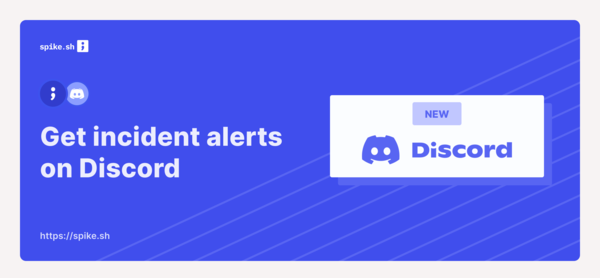
Get alerts on Discord

Discord_announcement.png

Discord has gained great traction and many more dev teams are moving from Slack. We are committed to send incident alerts to every developer on a channel of their choice and want to continue to pave this way with Discord alert channel.

Learn more ๐Ÿ‘‰

Thanks to Paul for requesting this.

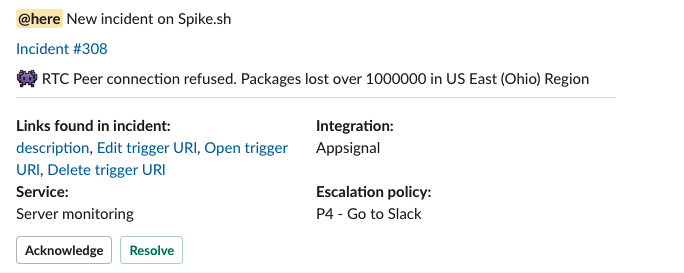
Newer, better Slack alerts

  1. Longer detailed messages for your incidents

  2. Quick links from your incident details

Integrations like Sentry, AppSignal, New Relic, etc do send quick links which will be captured and sent to you in our new Slack message format.

Thanks to Kyle for this feature request.

Here's how it looks ๐Ÿ‘‡

image.png

New integrations for uptime, logs and infrastructure

We've added many more integrations to help you get alerts from across your tool stack. Here are the new integrations -

  • Instana (performance monitoring)
  • Librato (performance monitoring)
  • Raygun (error monitoring)
  • Lightstep (observability)
  • Runscope (API monitoring)
  • Honeycomb (observability)
  • Graylog (log monitoring)
  • Checkmk (infrastructure monitoring)
  • Hyperping (uptime monitoring)
  • Epsagon (application monitoring).

Whew!

Your phone alerts are now longer with an improved format

Phone calls are now extended to 420 characters to give you more clarity on an incident. We have improved the format so you can change incident statuses at any point in time during the call.

Press -

  • 4 to acknowledge
  • 6 to resolve
  • 9 to escalate

Special thanks to our customer Adam ๐Ÿ‘

Reply on email alerts to take actions against an incident

It's imperative to take mark your incident as acknowledged or resolved soon as you get an alert from us. Instead of having to make your way to the dashboard, you can reply to our email alert and take actions.

When you get an email alert for say, for example incident #123, reply with these reserved keywords -

#ack - Acknowledges incident #123

#res - Resolves incident #123

Don'ts

  1. Do not reply with incident id, for example: #ack incident 123

  2. Do not send in any attachments and only respond with the keywords

Slack messages auto update upon resolving

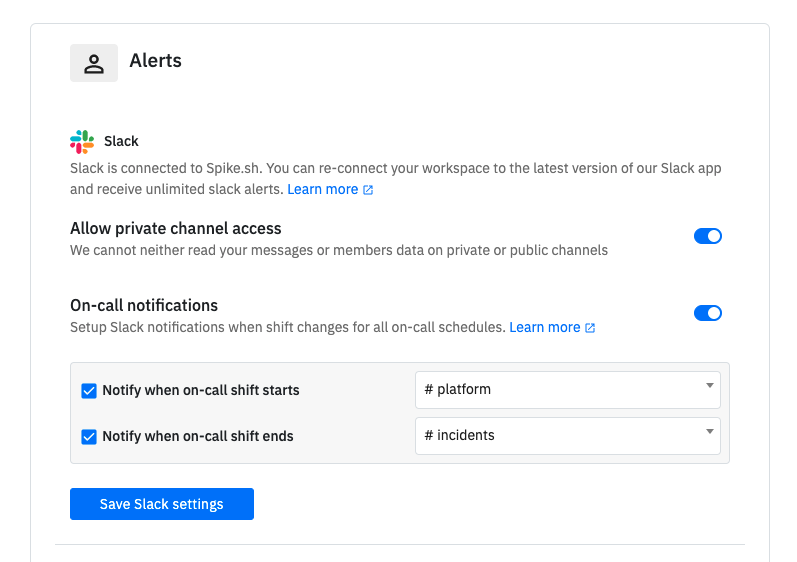
Upon feature request, we promptly looked in and released a new feature on our Slack app.

If any number of Slack alert(s) been sent for a new incident and you managed to resolve it from either Phone, SMS, Email or Dashboard or if the incident was automatically resolved, then the Slack message with automatically reflect the resolved state killing ambiguity on the status of an incident.

No actions are needed from your end and this will be available to all the existing and new Slack app installations.

Flexible On-calls

You can now build flexible on-call schedules with On-call Layers!

Create different layers to handle weekday/weekend schedules, assign team members for Follow-the-sun model and create overrides. You can also use slots to create on-call shifts for specific parts of the day or week.

ch-on-call-layers.png

Learn more ๐Ÿ‘‰

Request an integration with ease

request-integration.gif

Thanks to all your requests, we have now built over 25 integrations. This is great considering we laucnhed with 5 ๐Ÿ™‚

In an effort to encourage you to request more of them, we have added an effortless way for you to reach out to us with your integration requests.

ร— Zoomed Image