Raycast extension
A faster, easier way to check open incidents, take actions, and manage on-call schedules directly from Raycast.
A faster, easier way to check open incidents, take actions, and manage on-call schedules directly from Raycast.

You can quickly search and select Slack channels to receive incident alerts. While adding or editing an escalation policy, you can easily use this feature—designed specifically for larger Slack workspaces with thousands of channels.

Our Spike bot for Microsoft Teams now supports connecting multiple groups of channels! Admins and responders can easily connect new groups by running the @Spike connect command as usual.
Once connected, you’ll be able to find the list of channels from all connected groups in on-call alerts and escalation policies.
Deprecation notice: The old Microsoft Teams webhook will be deprecated on 26th November 2024. Make sure to update your setup to keep receiving alerts seamlessly.
Install the Microsoft Teams Bot for Spike → https://teams.microsoft.com/l/app/aea2c271-cfd3-4360-86bb-4a16998b2bde?source=app-details-dialog
Learn more → https://docs.spike.sh/alerts/microsoft-teams

Resolution Alerts—configure to get alerts when incidents are resolved, whether automatically or by other members.
Learn more ➝ https://docs.spike.sh/alerts/personal-alerts-management/resolved-incident-alerts
What You Need to Know:
Real-Time Alerts: Receive resolution alerts instantly—within 600ms—via SMS, Email, App notifications, WhatsApp, and Telegram.
Customizable Alerts: Choose how and when you receive resolution alerts. For example, get email notifications during office hours but app notifications afterward.
✅ Green Check for Clarity: Each resolution alert comes with a green check mark and the incident title for quick context.
This feature is designed so everyone is kept in the loop. Only those who were alerted or are currently assigned to the incident will receive alerts when incidents are resolved. Whether it's an automatic resolution or one handled by a teammate, you'll know immediately!
Get the mobile app

You can now further customise your status page by hiding/showing historical status graphs on each component. This would focus only on current status of your service.
This update is especially useful when managing multiple components and streamlining your status page view.
Visit Status page dashboard > Themes to customise

We’re rolling out RSS feeds as a new subscriber option for all status pages. Every time you declare an incident or schedule maintenance, your status page’s RSS feed will update automatically.
This opens up opportunities for automation through tools like Zapier, and now, subscribers can also receive updates directly via Slack and Microsoft Teams.
This would make it easier for your subscribers to stay updated, whether they prefer email, Slack, Teams, or their favorite RSS feed reader. With real-time notifications, they’ll know about incidents and maintenance as soon as they’re declared. They also include maintenance reminders.
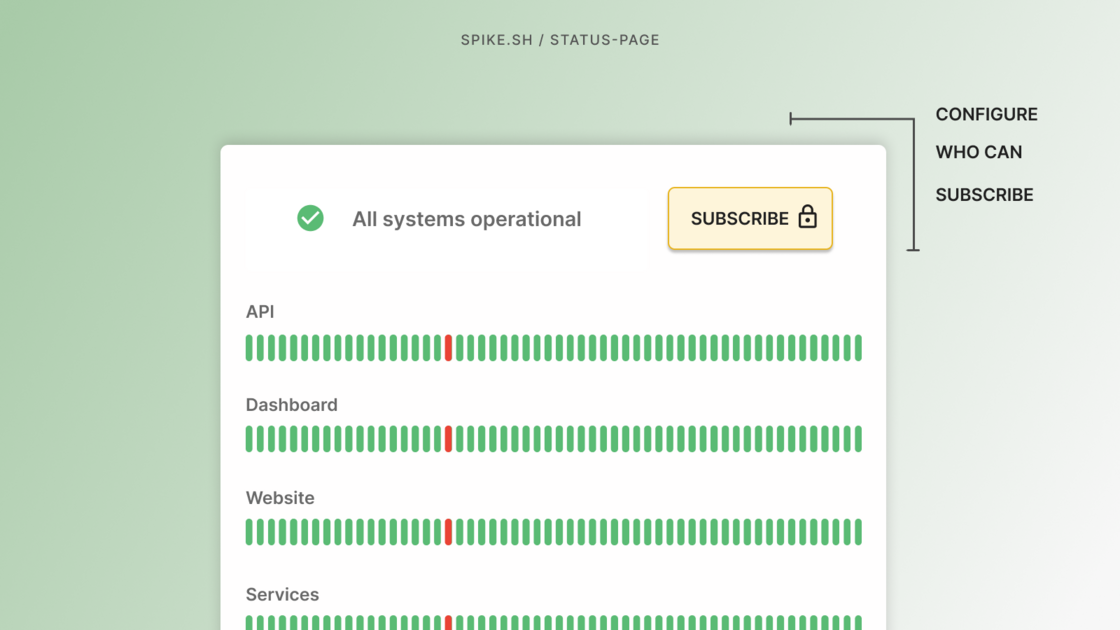
Status Pages on Spike now also comes with subscriber control. The goal is for you to have public status pages but control who can receive real-time status updates.
Admins can configure settings for who can subscribe and who can unsubscribe. This would allow you to more precisely control your subscribers.
∟ Allow new subscribers (enabled by default)
∟ Control email domains allowed for subscription
∟ Do not allow unsubscribe (subscribers can’t unsubscribe themselves)
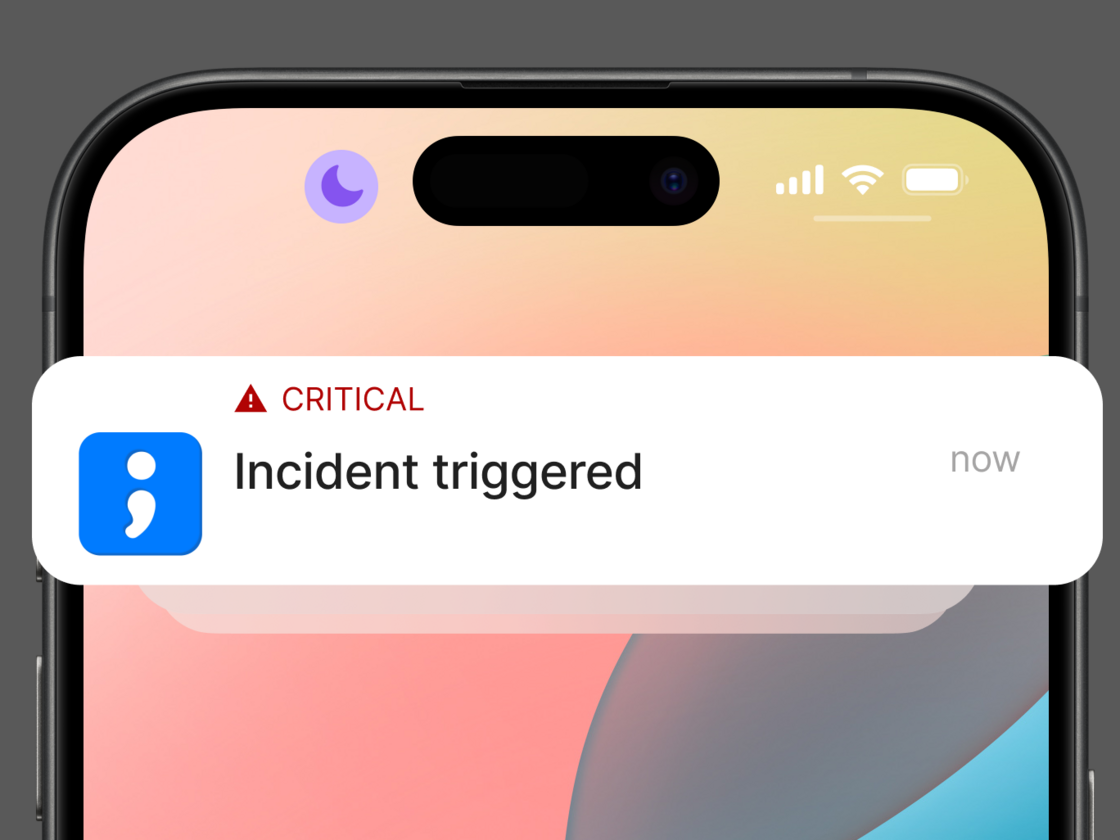
Spike now supports Critical Notifications on iOS. These alerts will sound even if your iPhone is muted or in Focus mode. We enabled Critical Notifications to help you stay informed of critical incidents at all times.
You can configure these special notifications directly in your app settings.
Thanks to Applefor approving this and recognizing Spike’s commitment to delivering timely alerts.
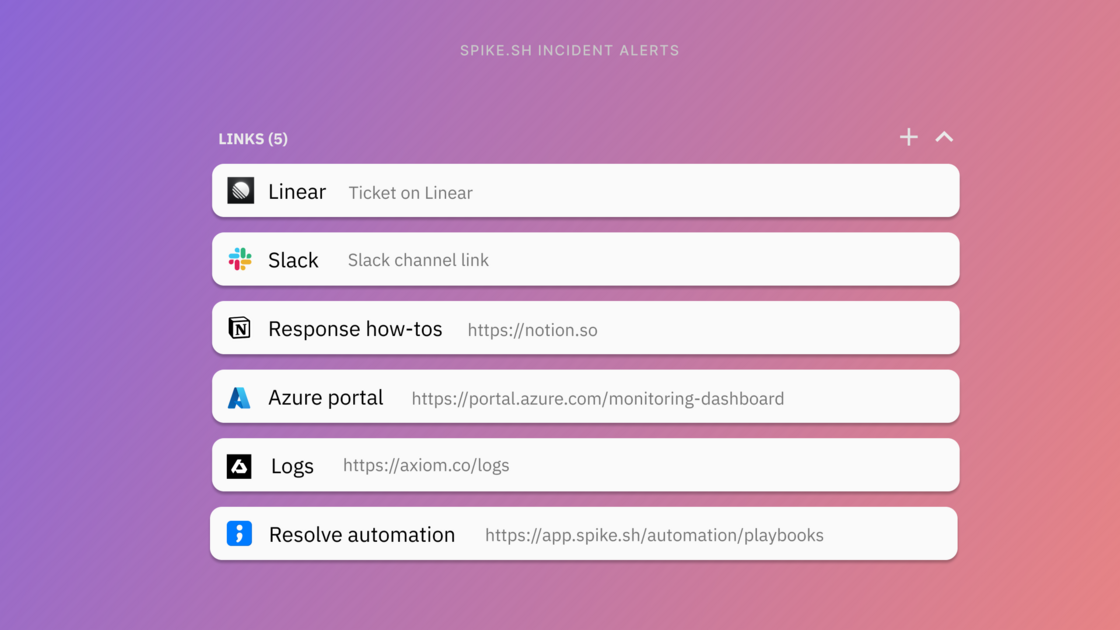
Spike now generates neat previews of links found in your incident. You can also manually add links to an incident, and these updates will be reflected in all Slack and MS Teams alerts in real-time.
Automate adding reference links dynamically when an incident triggers. You will find a new Add links action in Playbooks. Using conditions, identify the incident and add links that matter.
Use cases
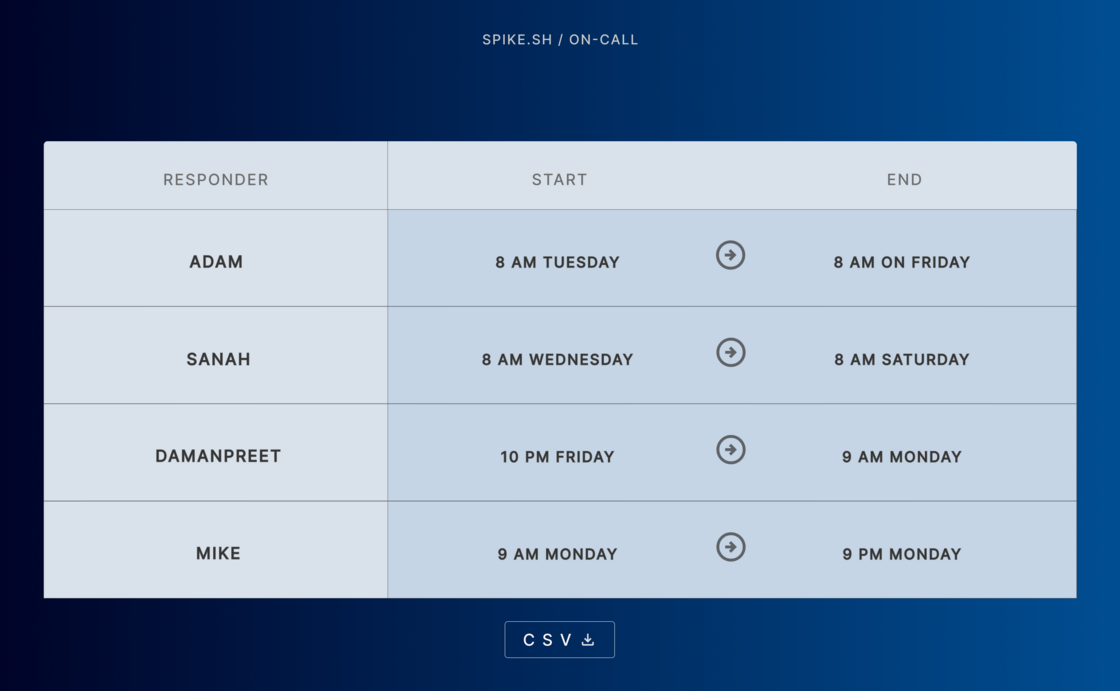
Download On-call shift breakdown
Starting today, you can download a detailed breakdown of every on-call shift for all responders in CSV. It provides insights into all the time responders have spent on-call. With remote teams in mind, the report includes shift timings in both user and responder time zones.
Some benefits:
∟Accurate on-call pay calculation
∟Performance analysis
∟Resource planning
∟Compliance and audit
Download here → https://app.spike.sh/on-calls
Available for all Early adopters, and Business plans and higher.
Special thanks to Matt for suggesting and feedback!